
GPT Image 2 Generator
OpenAI's GPT Image 2 (also called ChatGPT Image 2) on VicSee — generate images with near-perfect text rendering, 4K output, and pixel-level editing. Starts at 8 credits per image.
Why GPT Image 2 Stands Out
- •Near-Perfect Text Rendering:Renders long sentences, multi-word headlines, and multilingual labels with flawless typography
- •Production-Ready 4K Output:Native 4096×4096 resolution and flexible aspect ratios — print-ready out of the gate
- •Strong Instruction Following:Faithfully renders multi-subject prompts with precise placement, color, and outfit control
- •Pixel-Level Editing:Surgical edits that blend into original lighting, shadows, and stylistic environment
- •GPT Image 2 Prompts: How to Get the Best Results:Prompt patterns for typography, product shots, UI mockups, and multilingual scenes
Near-Perfect Text Rendering Inside Images
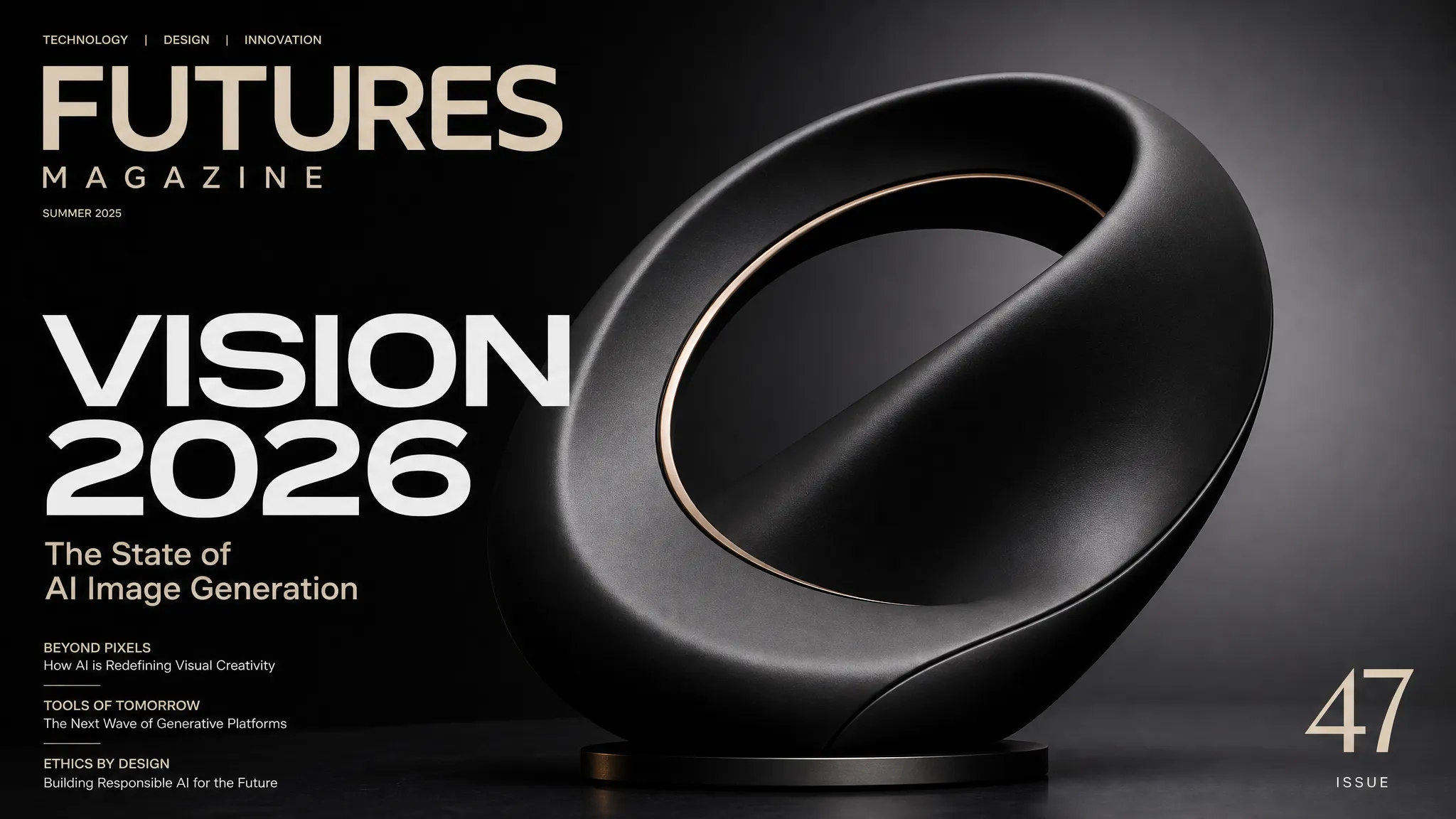
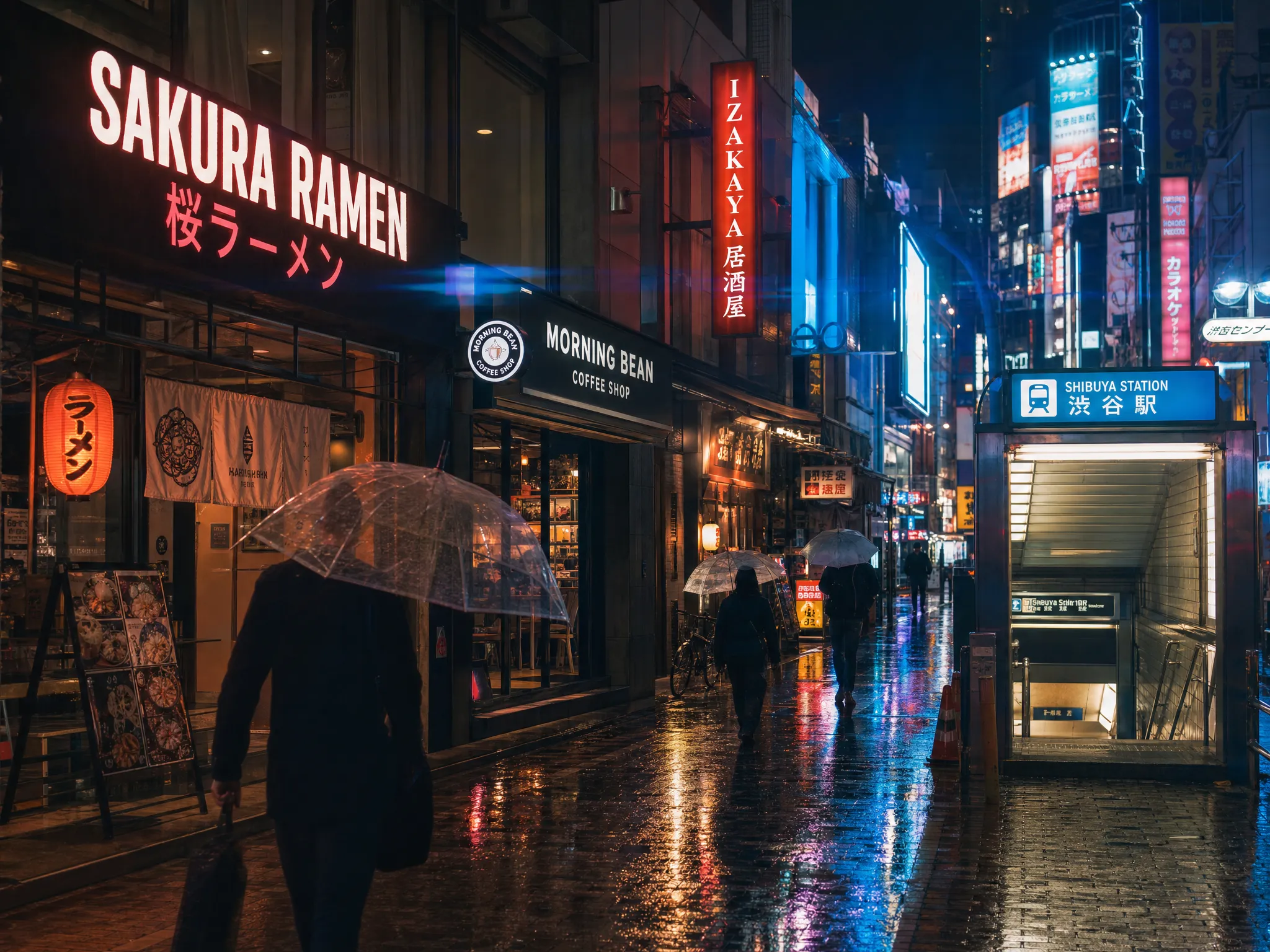
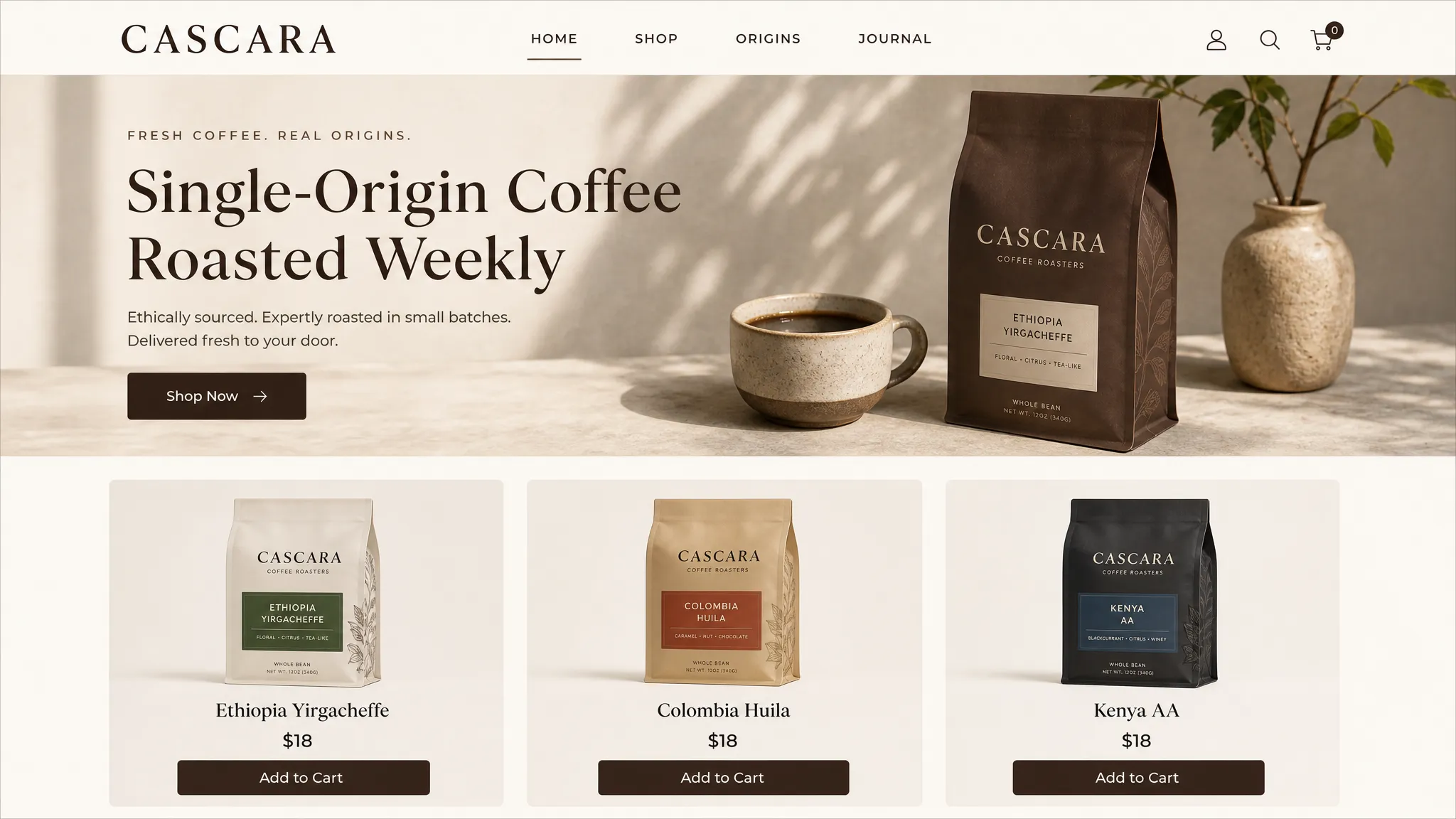
GPT Image 2 is the first widely-available image model to handle long-string typography reliably. Magazine headlines, product packaging, UI button labels, multilingual storefront signs — they come out clean, with correct casing, spacing, and alignment. The model also renders English alongside CJK characters in the same image without garbling either, which makes it ideal for global brands and bilingual storefronts.
Native 4K Resolution for Production Workflows
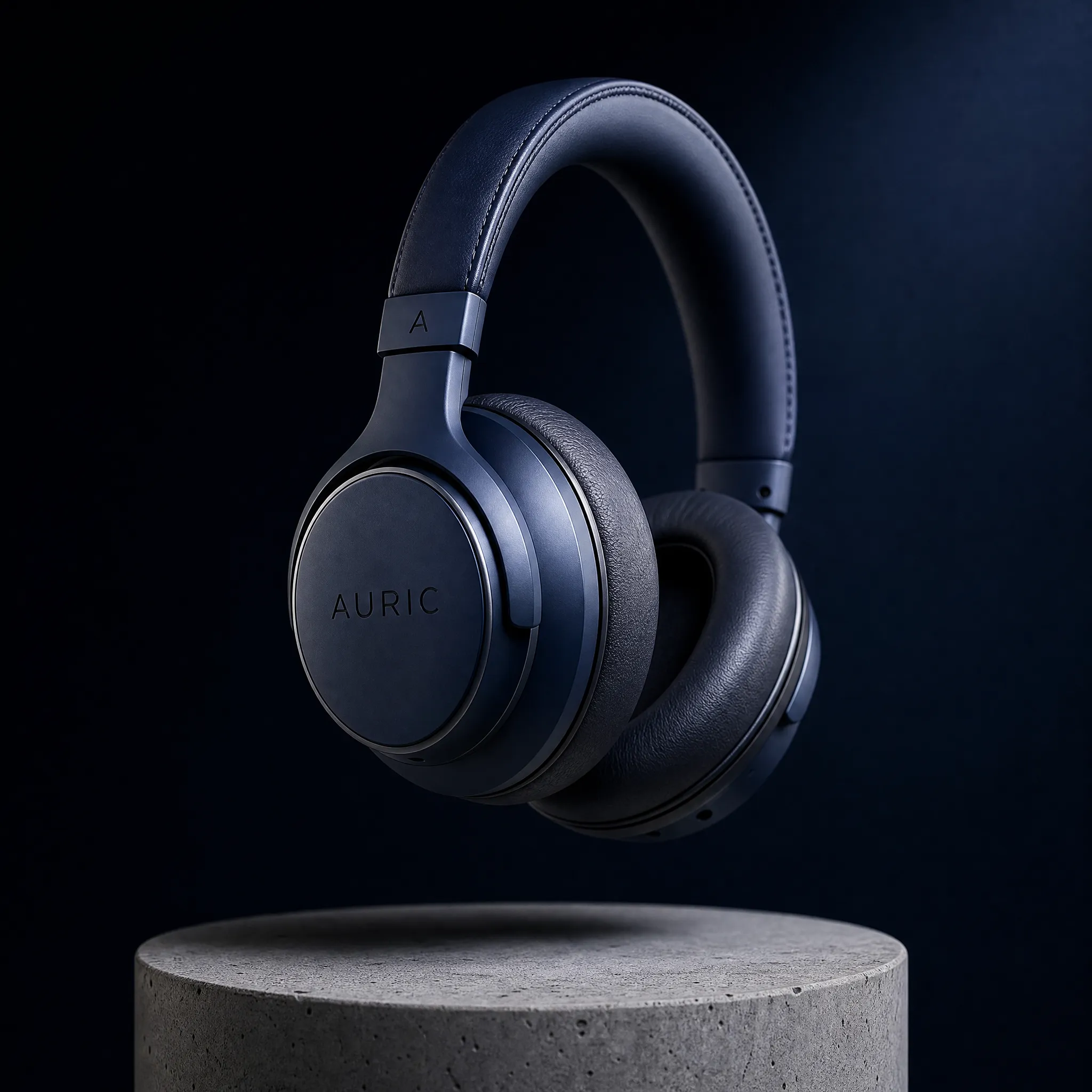
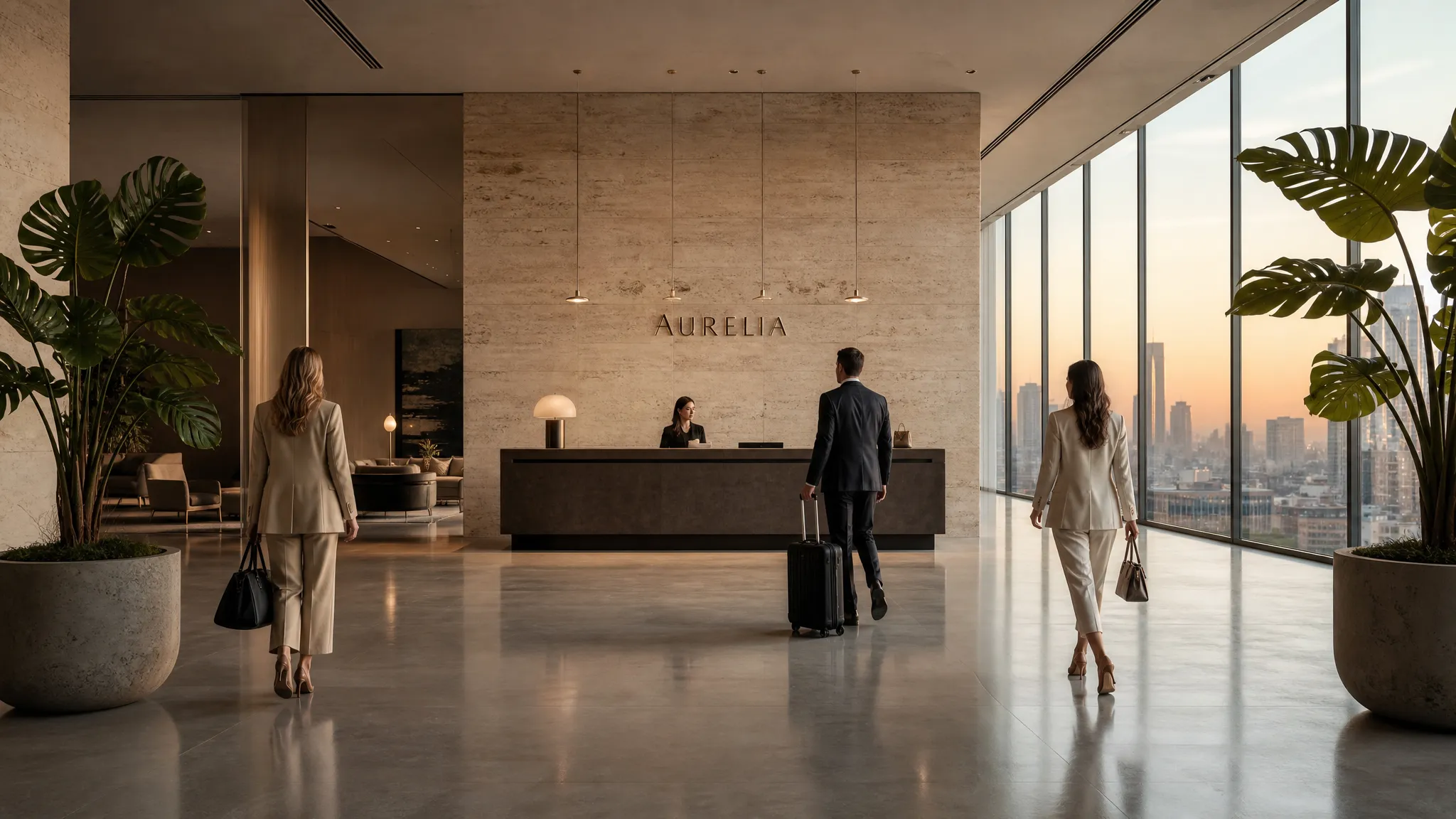
GPT Image 2 generates natively at three tiers on VicSee: 1K (1024×1024), 2K, and 4K (4096×4096). The 4K tier is print-ready out of the gate — no upscaling step required for billboards, magazine covers, or large-format product photography. Aspect ratios up to 3:1 are supported (note: 1:1 with 4K is not supported by OpenAI's model — use 2K or pick a wider ratio at 4K).
Strong Multi-Element Instruction Following
Long, structured prompts that specify multiple subjects, brand names, layout positions, and color palettes are rendered faithfully. This makes GPT Image 2 a strong fit for designers prototyping web pages, marketers iterating on ad creative, and product teams generating realistic mockups before committing to a final design.
Input
A clean modern e-commerce homepage UI mockup for a coffee brand called CASCARA, top navigation reads HOME SHOP ORIGINS JOURNAL, hero section with the headline Single-Origin Coffee Roasted Weekly and a Shop Now button, below the hero a 3-column product grid showing three coffee bag products labeled Ethiopia Yirgacheffe, Colombia Huila, and Kenya AA, each with a price like 18 dollars and an Add to Cart button, warm earth-tone color palette with cream backgrounds and dark espresso accents
Output
Pixel-Level Image Editing (Image-to-Image)
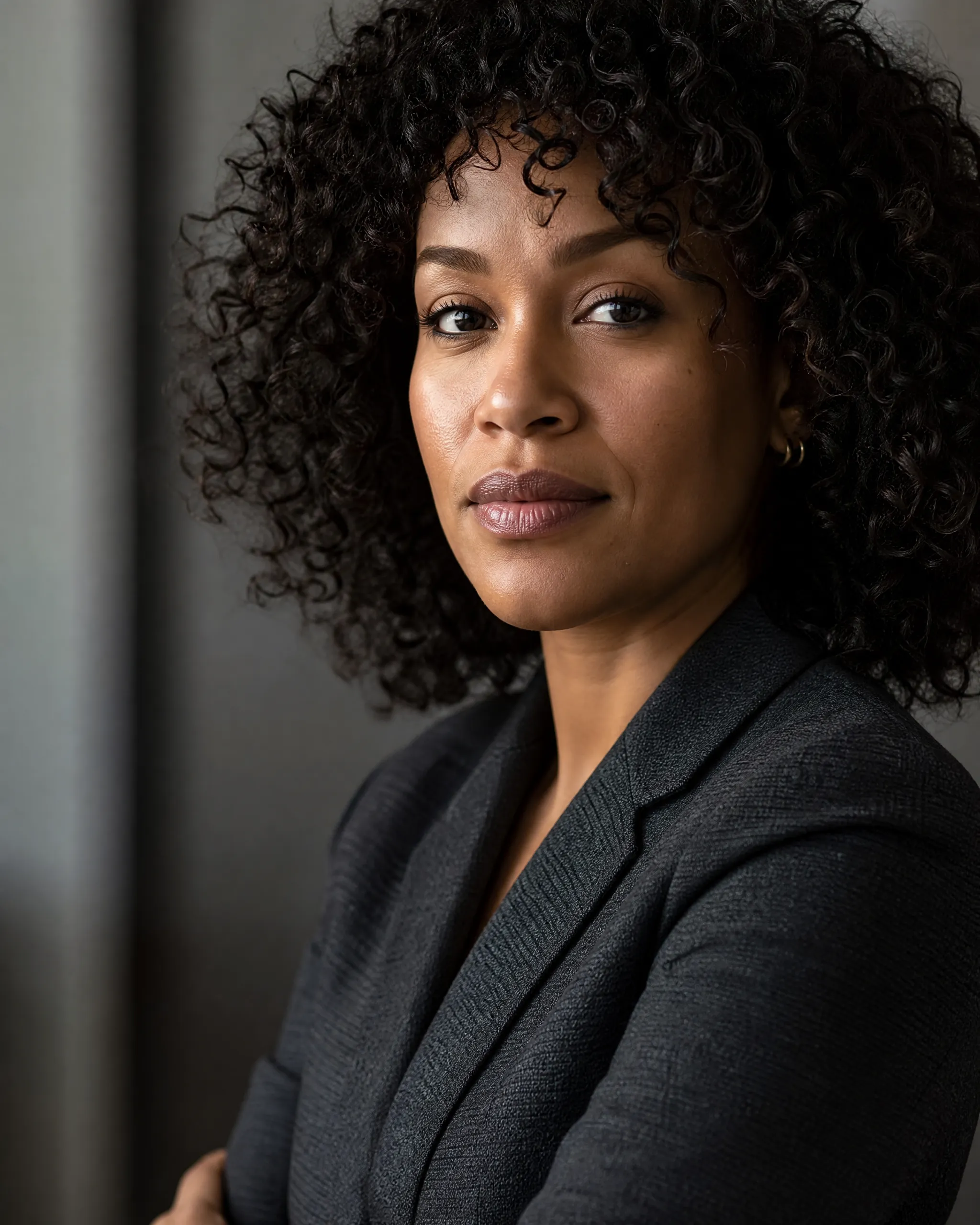
Pass an existing image as reference and describe the change in plain English. GPT Image 2 makes surgical local edits — change a hair color, replace text on a sign, swap a product variant — without disturbing the surrounding lighting, shadows, or composition. Use the Image-to-Image tab to upload a reference and start editing.
GPT Image 2 Prompts: How to Get the Best Results
GPT Image 2 rewards specific, structured prompts. Unlike older diffusion models, you do not need awkward keyword stuffing or weight syntax — write naturally and include the details that matter. Four patterns work especially well: (1) Typography prompts — name the exact text and the typographic style (bold sans-serif, condensed serif, hand-lettered). (2) Multi-element scenes — list each visible element with its position and any text it carries. (3) Product photography — specify the lens, lighting direction, surface, and any branding. (4) Multilingual scenes — write the English copy and the target-language copy in the same prompt; the model renders both. Skip generic art-style modifiers ("masterpiece, best quality") — they do nothing here. Use plain descriptive language instead.
Input
A premium tech magazine cover with the bold headline VISION 2026 in large modern sans-serif typography, subhead reads The State of AI Image Generation, photorealistic studio shot of a sculptural matte-black object with soft gradient lighting, magazine masthead in the upper left, issue number 47 in the bottom right, editorial design
Output
How To Use GPT Image 2 on VicSee
Pick GPT Image 2
Open the model dropdown and select GPT Image 2. Choose Text-to-Image to generate from a description, or Image-to-Image to edit an existing image.
Write a Specific Prompt
Describe the image with the level of detail you want preserved — exact text, colors, positions, brand names. GPT Image 2 follows long structured prompts faithfully.
Pick Resolution & Aspect Ratio
1K (8 credits) for drafts, 2K (12 credits) for print proofs, 4K (20 credits) for final commercial assets. Note: 1:1 + 4K is not supported — choose a wider ratio for 4K.
Generate & Download
Click Generate. Image arrives in a few seconds. Sign-in required to generate; new accounts get free starter credits.
GPT Image 2 vs Nano Banana 2 vs FLUX 2
How GPT Image 2 stacks up against the other top image models on VicSee:
| Feature | GPT Image 2 | Nano Banana 2 | FLUX 2 |
|---|---|---|---|
| Origin | OpenAI | Black Forest Labs | |
| Credits per Image (1K / 2K / 4K) | 8 / 12 / 20 | 8 / 12 / 20 | 15 / 30 / — |
| Max Resolution | 4K (4096×4096) | 4K | 2K |
| Text Rendering | Near-perfect, multilingual | Excellent, multilingual | Good |
| Image-to-Image Editing | Yes — pixel-level surgical edits | Yes — region-aware | Yes — multi-reference (up to 8) |
| Best For | Typography, UI mockups, multilingual scenes | HD photorealism, brand assets | Multi-reference consistency |
Pick GPT Image 2 when text rendering or multilingual content is in the image — magazine covers, product packaging, UI mockups, storefronts. Pick Nano Banana 2 for general HD photorealism and brand assets. Pick FLUX 2 when you need to combine multiple reference images into a single consistent output.
Frequently Asked Questions
Everything you need to know about GPT Image 2 (ChatGPT Image 2) on VicSee.
Explore Other AI Image Models
Compare top AI image generators and pick the right model for your project.
Generate Your First Image with GPT Image 2
OpenAI's next-gen image model with near-perfect text rendering and 4K output — try it on VicSee in seconds.