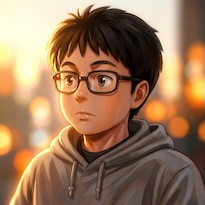
Most guides to AI YouTube channels cover the style question: how to get the right aesthetic, which model to use, how to write prompts that produce the look you want. What they don't cover is ai youtube series consistency — the discipline of keeping episode 19 visually coherent with episode 1.
Getting Ghibli-style renders, 2.5D illustration, or cinematic shots is a solved problem. Any current capable model produces these on demand. The harder problem — documented by creators who've run 10, 19, or 30 episodes — is maintaining visual coherence across sessions. The same prompt produces slightly different results on different days. Different environments, lighting conditions, and action sequences pull the model in different directions. Without a system, you produce great individual videos that don't feel like a series.
This is the gap between a successful AI channel and a pile of well-produced one-offs.
The Drift Problem
Session-to-session drift is where most AI video pipelines fall apart. A creator who documented building a Ghibli-style channel to 19 episodes identified it as the central technical challenge: the style itself is easy — any current model renders it adequately. Maintaining the same world feel, character proportions, and color palette across dozens of generations without drift is the actual system to build.
This drift isn't caused by bad prompts. It's caused by the nature of generative models: the same prompt, run on different days or with slightly different generation settings, produces variations. If your character's palette shifts subtly in episode 7 and again in episode 14, by episode 19 the series has fragmented into three different series stitched together.
The channels generating consistent monthly revenue from AI video — one channel reached 1.7M views across 9 videos and EUR 10.7K per month — solve this at the system level, not the prompting level.
Build the Anchor System First
The anchor system is the set of locked inputs that feed every generation in your series. Nothing in this set changes after episode 1 is complete and approved. It has three components.
Style Prompt Lock
Write your core style prompt as a single block: medium (2.5D illustration, flat color, Ghibli-inspired), palette (warm earth tones, muted greens, soft light), rendering characteristics (soft shadows, clean linework, no photorealism). Test this prompt across 20–30 generations until you understand its output range. Then lock it. Every episode's prompts inherit this block verbatim.
Character Reference Sheet
Generate your main character in a neutral-lighting, portrait-crop reference image — no hard shadows, no strong environmental lighting, no background elements that compete with the character. Reference image quality determines how consistently the model interprets the character across generations. A clean reference produces predictable results. A reference with strong directional lighting, complex backgrounds, or unusual angles creates ambiguity that accumulates into drift.
Generate the reference first. Test it across 5–10 generations in different environments (indoor, outdoor, night, day). If the character holds — same proportions, same color palette, same feel — the reference is ready. If it drifts, iterate the reference before writing a single episode prompt. This is step zero of the production system.
Generation Parameter Lock
Record the exact model, resolution, aspect ratio, and any fixed generation settings used in episode 1. These become permanent settings for the series. Changing from 720p to 1080p between episodes, or switching models mid-series, introduces the same drift as a changed prompt.
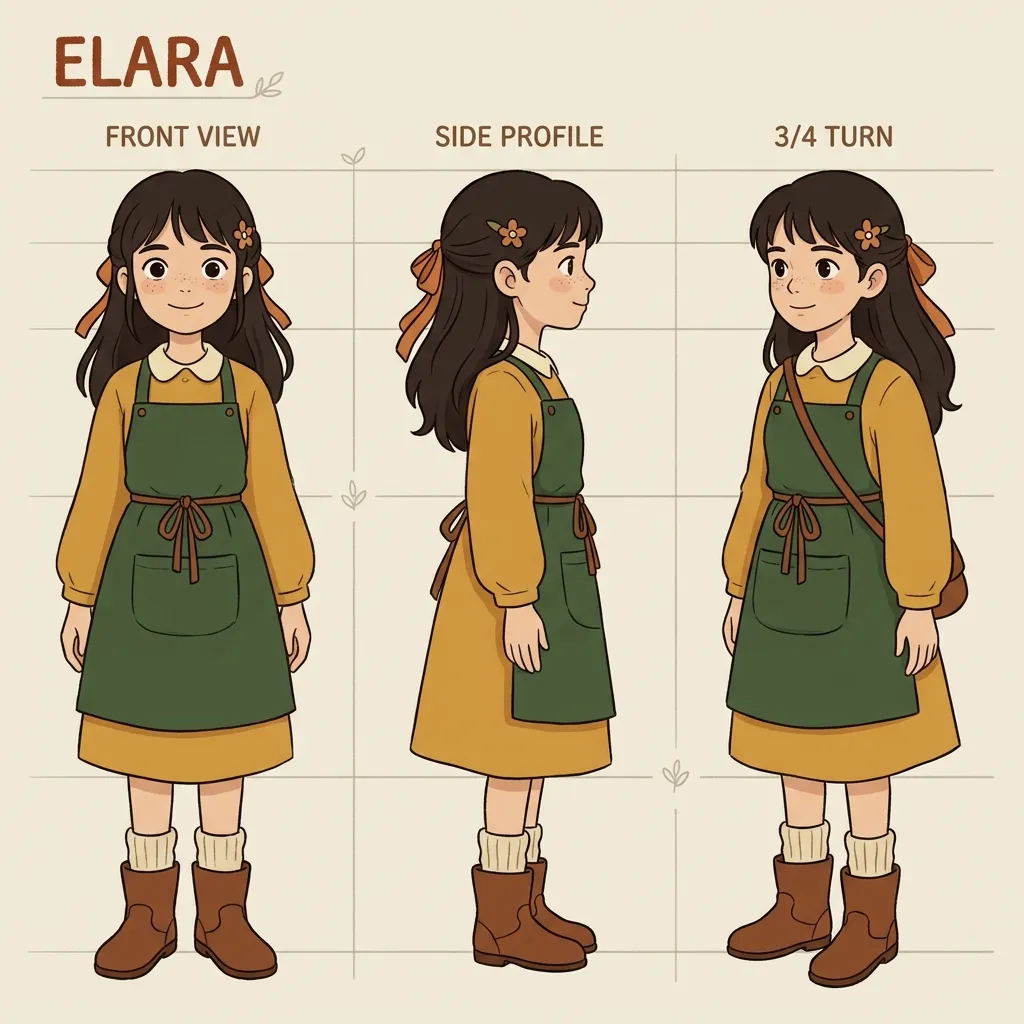
A locked character reference feeds every episode in the series. Reference quality is step zero — get it right before writing a single episode prompt.
Batch Prompt Discipline
Most AI video creators work against themselves by writing broad prompts and generating many clips. The logic seems sound: more clips equals more options. The reality: with broad prompts, most of those clips are unusable. One practitioner who documents AI video production noted that generating 50 clips required 45 minutes of curation — and that was with reasonably specific prompts. With generic prompts, that ratio gets worse.
The counterintuitive principle: more specific prompts, fewer clips. When the environment, lighting, action, and camera angle are specified exactly, the model has a narrower solution space to fill. The output rate of usable clips improves. You spend less time curating and more time editing.
This discipline extends to series structure. Map each episode's visual requirements before generating anything: which scenes, which environments, which character actions. Write prompts that describe exactly what needs to appear in each scene. The scripting work invested in precise prompt specifications pays directly into usable clip rate — and into consistency.
Style Choices That Work With the System
Two aesthetic choices consistently reduce drift across AI video series.
Black and white
Color drift is one of the most visible inconsistencies between generations. A character's skin tone shifts slightly, or ambient color temperature changes between clips. Black and white removes this entire category of problem. The viewer can no longer detect color drift. The series evaluates on motion quality, character proportion, and scene composition — axes where current models perform more reliably. Several AI filmmakers working on longer-form content use black and white specifically because it eliminates one of the hardest consistency problems entirely.
2.5D illustrated style
A 2.5D or illustrated aesthetic sidesteps the uncanny valley problem that photorealistic styles encounter with character consistency. When the visual register is clearly illustrative, viewers evaluate on character appeal and motion fluency rather than photorealistic accuracy — where current models are less consistent. One creator running a 2.5D illustrated series maintained consistent style across 1.5 minutes of completed video; the same approach applied to episodic production holds across dozens of episodes in a way that photorealistic styles typically cannot.
Neither of these is a compromise. They're structural decisions that play to what AI video generation does well and reduce exposure to what it doesn't.
The Session Workflow
At the end of every generation session, do three things:
-
Save the anchor state — the exact prompts, reference images, model version, and generation settings used. Not just the final clips — the inputs that produced them.
-
Generate a consistency check — run your core character prompt once and archive the output alongside the session's clips. Over time this creates a baseline log of how consistent the character has been across sessions.
-
Before the next session — regenerate the consistency check first and compare against the previous session. If there's drift, identify whether it came from a model update, a reference image change, or a prompt variation before generating anything else.
Creators who maintain visual coherence across long-running series treat this workflow as non-negotiable. The series isn't just the published videos — it's the locked system that produced them. Start each session from the system, not from memory.
Generate your series foundation on Seedance 1.5 Pro or use Kling 3.0 for scenes that need camera control and multi-shot composition. New accounts get free credits, no credit card required.
Try it now: Seedance 1.5 Pro | Kling 3.0 | All AI Video Models
What Actually Drives Retention
The channels with consistent monthly revenue from AI video aren't optimizing for volume. They're optimizing for retention, which is downstream of visual coherence.
A viewer who clicks episode 3 and experiences the same visual world as episode 1 is a subscriber. A viewer who clicks episode 3 and finds something that looks like a different series stops watching and doesn't come back. This is the compounding argument for a locked anchor system: each episode that maintains series consistency makes the next episode more valuable. The audience builds trust in the aesthetic, develops character attachment, and returns. Volume without consistency produces views without subscribers. Consistency produces the audience that compounds.
The editorial judgment driving this — what to cover, how to frame it, which angle will hold attention — remains the human layer. AI handles execution. The system handles consistency. Judgment is what keeps both of those things pointed at something worth watching.
FAQ
What causes AI video style to drift between episodes?
Session-to-session drift happens because generative models produce variations on the same prompt each time they run. Even identical prompts produce slightly different outputs — different color temperatures, subtle proportion shifts, varied lighting behavior. Without a locked anchor system (fixed style prompt, consistent character reference, fixed generation parameters), these small variations accumulate across episodes into visible inconsistency.
What's the best AI video model for a consistent YouTube series?
For consistent series production, models with strong reference image support perform best. Seedance 1.5 Pro and Kling 3.0 both support character reference inputs that reduce generation-to-generation variation. Model choice matters less than the consistency of your inputs: a locked character reference sheet and invariant style prompt will produce better series consistency than switching between models each session.
Should I use black and white for my AI YouTube series?
Black and white is the most reliable way to eliminate color drift across sessions. If maintaining a consistent color palette across 19 episodes is proving difficult, switching to black and white removes the problem entirely. It's a deliberate aesthetic choice that also simplifies the production system — and one that many successful AI series have used precisely because it eliminates an entire category of consistency problem.
How do I create a character reference image for AI video?
Generate your character in a neutral setup: portrait crop, even lighting with no strong shadows, plain or minimal background, forward-facing pose. The goal is to give the model maximum information about the character with minimum ambiguity. Test the reference across multiple generations in different environments before committing: if the character holds consistently across 10 varied prompts, the reference is ready. If it drifts, adjust the reference rather than the episode prompts.
How many clips should I generate per episode?
With broad prompts, usable clip rate drops and curation becomes the bottleneck. With specific prompts — exact environment, lighting, character action, camera angle — usable rate improves and you generate fewer total clips. Practitioners consistently report that more specific, fewer clips outperforms more generic, many clips as a production strategy. Map the scene requirements first, write precise prompts, generate only what those prompts require.
Building a consistent AI YouTube series is a system design problem, not a prompting problem. Style comes easily. The discipline — locked anchors, specific batch prompts, session-state preservation, aesthetic choices that work with model strengths — is what separates channels that hold audiences across 19 episodes from channels that produce great individual videos and stall.
The model handles execution. The system handles consistency. Build the system first.
Seedance 1.5 Pro and Kling 3.0 support the generation side of this workflow on VicSee. New accounts get free credits, no credit card required.
Start building: Seedance 1.5 Pro | Kling 3.0 | All AI Video Models